![Fuse Logo_Horizontal Blue.png]](https://www.fuseinventory.com/hs-fs/hubfs/Fuse%20Logo_Horizontal%20Blue.png?height=40&name=Fuse%20Logo_Horizontal%20Blue.png)
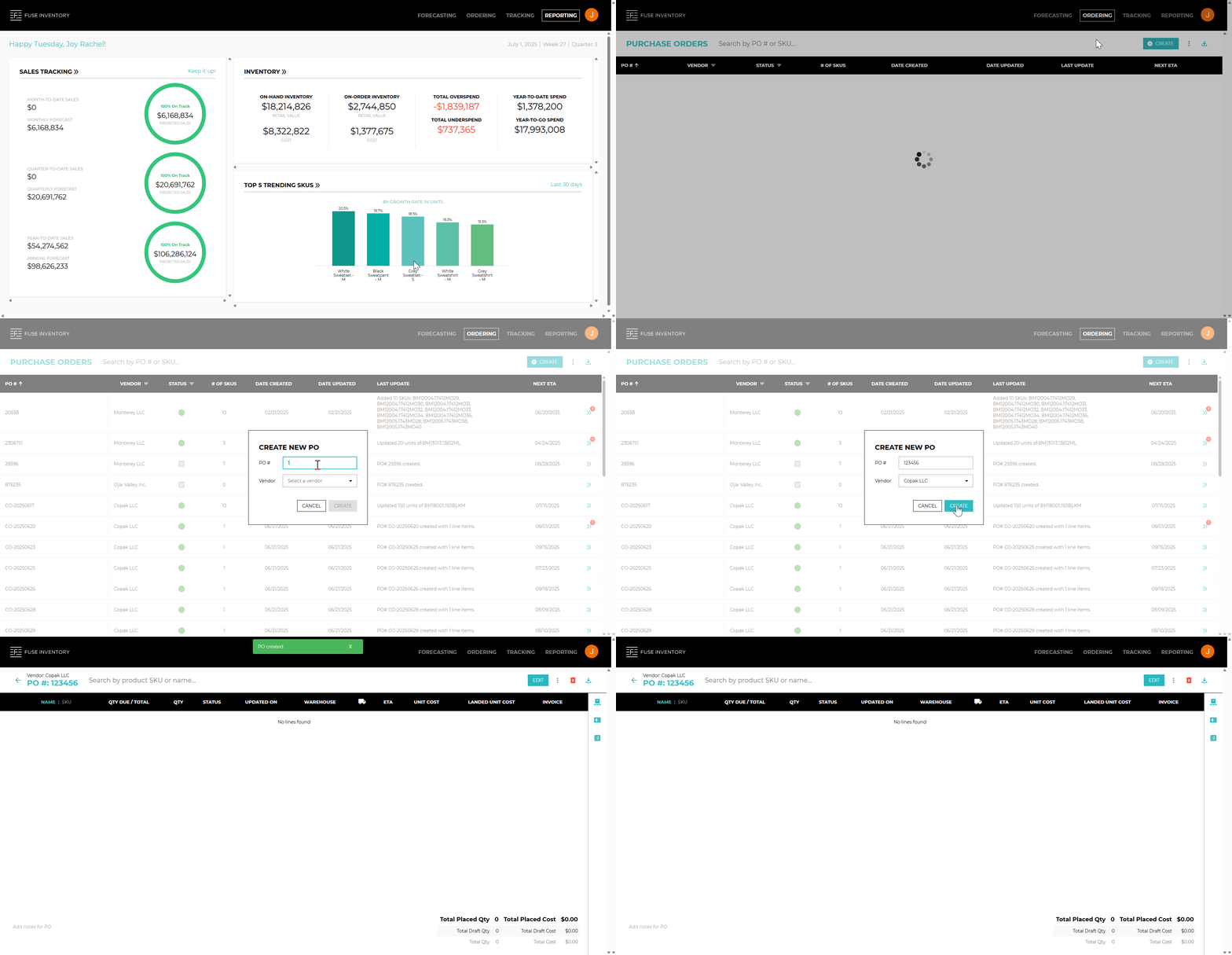
- Click
Purchasein the main menu. - Select
Ordersfrom the dropdown options. - Click the
+ Createbutton on the top-right toolbar. - Choose your vendor and manually enter the PO number.
📌 Note: The customer creates and enters the PO number manually.
In cases where we integrate with their system, the PO number is used to match records — so it must be unique. - Click
Createto generate the new Purchase Order.
🔗 See also: